Some companies have a workhorse. We're building you a War Horse.

DestrierOS operating program

One operating system for the office, field, terminals, and fleet signal.

DestrierOS gives commercial and industrial teams a web command center, mobile field workflows, shared kiosk terminals, GPS/telematics device signal, CRM, service, fleet, workforce, documents, billing, compliance, and reporting in one connected operating record.

Overview

DestrierOS operating program

Operating footprint

DestrierOS connects the office, field, shared terminals, and physical device signal.

The product is built for commercial and industrial teams that need the web command center, mobile field execution, kiosk time and site access, GPS/telematics devices, customer work, workforce controls, billing, compliance evidence, and reporting to stay connected from first request through closeout.

Run the work

Follow a customer from lead to job, field execution, kiosk punch, documents, invoice handoff, and reporting without rebuilding context in every department.

See the blockers

Queues, approvals, missing evidence, stale work, inventory pressure, support issues, GPS exceptions, and kiosk/device health are meant to be visible before they become surprises.

Keep evidence

Sensitive actions leave an audit trail: approvals, role changes, exports, billing adjustments, field closeout, kiosk events, support assist, compliance reviews, and release operations.

Decide faster

Leadership gets a cross-surface picture of readiness, workload, adoption, risk, margin, field movement, and follow-up without waiting on another spreadsheet cleanup.

Not just a browser tab

DestrierOS is built to reach the places where the work actually happens.

Launch track

Web command center

The browser product is the system of record for customer work, dispatch, workforce, fleet, finance, compliance, reporting, administration, and support.

Device testing

Mobile field app

The mobile app extends field capture, offline work, evidence, scheduling, customer context, GPS-assisted workflows, and approvals to real crews.

Hardware validation next

Kiosk terminals

The kiosk track adds custom time clock and location registry terminals with RFID/NFC credential flows, offline event replay, and org governance.

Fleet signal live

GPS and device signal

Dedicated hardware and mobile GPS signals feed locations, assets, drivers, geofences, maintenance, trip evidence, and exception review into the same operating record.

Built from the field

Designed by an operator who got tired of forcing broken systems to cooperate.

DestrierOS started in oil field operations after nine years of operational frustration, where critical work was scattered across Power Apps, telematics portals, Excel sheets, inboxes, phone reminders, and tribal knowledge. After years of looking for one unified operating system and being told it did not exist, the founder went to Carnegie Mellon University to acquire the technical skills to build it himself. The first lines of DestrierOS were written on an oil rig, on a laptop that still has frac mud clogging the keyboard. He still works the rigs, and DestrierOS funds itself.

Why buyers should care

Operator and trades perspective before software-founder perspective
Nine years of operational frustration turned into product requirements
Self-funded while the founder keeps working in the field
Built around the real friction of field-to-office handoffs
Shaped by the systems teams already use when nothing talks cleanly

What the demo proves

A real operating chain, not another dashboard island.

Replace scattered spreadsheets, inboxes, point tools, and hardware portals with one operating record
Give sales, dispatch, field, finance, HR, compliance, and leadership the same source of truth across web, mobile, kiosk, and device signal
Make blockers, missing evidence, stale work, GPS exceptions, kiosk events, and risk visible while there is still time to act
Keep audit history attached to the work, people, places, and devices instead of chasing it later

Walkthrough path

The product is easiest to understand by following the work.

Step 1

Start with a customer

Create or open the account, review history, capture the next conversation, and see open revenue, service, documents, and finance context.

Step 2

Turn work into execution

Move from request to service queue, schedule or assign work, attach required evidence, and keep field closeout from skipping required steps.

Step 3

Connect fleet and inventory

Bring assets, GPS devices, mobile location, shared terminals, parts, purchasing, shortages, and vendor context into the same operational picture.

Step 4

Close with proof

Review approvals, invoices, kiosk events, mobile evidence, compliance records, reporting, and support history so the buyer sees how the platform protects the operation.

Operational systems unified in one platform

The roadmap is organized around operating surfaces and software categories, not generic feature buckets.

Most operations teams are still managing critical workflows across disconnected systems, spreadsheets, emails, and paper processes.

DestrierOS is built around the operational systems companies already rely on every day: CRM, field operations, mobile work, GPS and telematics, kiosk time and site access, training, fleet visibility, compliance, finance, analytics, documents, inventory, communications, automation, and platform administration unified into a single operational platform.

Fewer disconnected systems. Less duplicate data. Faster coordination between office teams, field crews, shared terminals, and physical devices.

CRM

Salesforce

Revenue operations, customer 360, quotes, forecasting, and sales activity.

SVC

ServiceNow

Service intake, work queues, SLAs, approvals, escalations, and knowledge.

HR

Workday

Employee lifecycle, time, leave, payroll closeout, and workforce reporting.

LMS

Cornerstone

Learning authoring, assignments, certifications, assessments, and readiness.

FLT

Samsara

Fleet visibility, devices, telematics, geofences, maintenance, and rollout support.

GRC

Vanta

Controls, evidence, access reviews, risk, corrective actions, and audit exports.

FIN

QuickBooks

Invoicing, payments, receivables, payables, reconciliation, and financial controls.

BI

Power BI

Dashboards, report builder, scheduled analytics, executive KPIs, and exports.

DOS

DestrierOS

Operational coordination across field, office, compliance, finance, and leadership workflows.

Company and product names referenced on this page are trademarks of their respective owners and are used solely to describe common software categories and operational workflows.

Demo surfaces

Start with the workflows buyers already know are broken.

The walkthrough can focus on the parts of the operation causing the most drag: revenue handoff, service intake, fleet context, field evidence, communication history, or reporting.

Revenue core

Live

Customer records, pipeline governance, activity history, quotes, handoffs, and revenue reporting in one workflow.

Communications

Built

Business inboxes, chat, notifications, drafts, scheduled send, sync, and suppression evidence.

Fleet and GPS signal

Live

GPS, devices, drivers, assets, geofences, maintenance, live tracker data, trip/event evidence, investigations, driver identity, and fleet product boundaries.

Mobile field work

Testing

Field workflows, offline evidence, work detail, CRM context, scheduling, approvals, and GPS-assisted operating context are ready for real-device validation.

Kiosk terminals

Hardware next

Custom time clock and location registry kiosk flows are built toward hardware validation before appliance-image and enclosure work.

Service operations

Live

Intake, queues, SLAs, approvals, knowledge, field evidence, customer visibility, and operational analytics.

Web command centerMobile field appKiosk terminalsGPS device signal

Book the walkthrough

See whether DestrierOS fits your operating mess.

Tell us where the friction is: CRM handoff, service dispatch, fleet visibility, inventory, compliance, billing, reporting, or support. The demo will follow that workflow instead of forcing you through a generic product tour.

Product gallery

Show the system working before the first call.

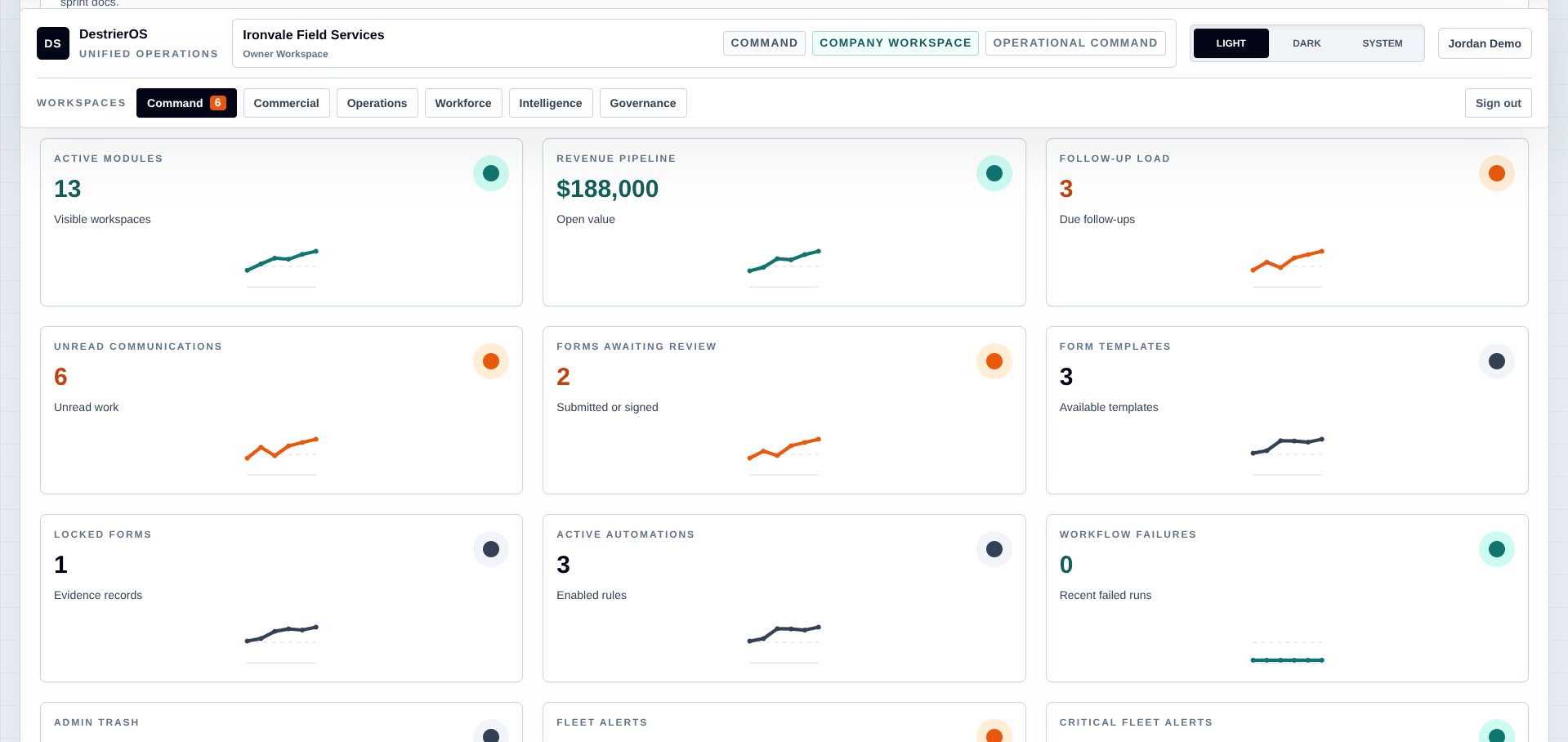
App dashboard
CRM Accounts
Revenue Pipeline
Finances
Live fleet map
Job Aware Scheduling
Operational intelligence and KPIs

Buyer questions

Why mention familiar software categories?

They frame the operational software categories the roadmap addresses. The product is long-term and phased around one operating record: web command center readiness, buyer-ready launch, mobile field work, kiosk terminals, GPS devices, and hardware-backed operating evidence.

What is usable today?

The product already has working surfaces across CRM, communications, fleet/GPS, employees, HR, forms, learning, reports, compliance, accounting, work orders, inventory, documents, contracts, and admin controls. Live fleet hardware data is flowing through the dedicated ingestion edge, mobile is waiting on real-device testing, and kiosk software is waiting on hardware validation.

Is this only software on a computer?

No. The web app is the command center, but the product strategy includes mobile field workflows, shared time-clock/site-access kiosks, and GPS or telematics devices feeding real operating signal back into the same company record.

What makes the roadmap different from ordinary SaaS module creep?

The roadmap is organized around complete operating workflows: who owns the work, what evidence is required, what can be reported, and what happens when something is blocked.